How to Start a Digital Reading Journal (and Actually Keep Using It)
On this page
- 1. Decide what you actually want to remember
- 2. Create a repeatable entry for each book
- 3. Separate tracking from journaling
- 4. Save quotes with context
- 5. Make your journal yours
- 6. Build a five-minute ritual
- 7. Review the year, not just individual books
- A digital reading journal you want to open
- Frequently asked questions
A reading journal can be more than a list of finished books. It can be a place to remember the line that made you stop reading, the character you couldn't stop thinking about, and how a story felt at a particular moment in your life.
But beautiful journals are easy to abandon when every entry feels like homework. The best digital reading journal is one you can update in two minutes and still enjoy revisiting years later.
Here's a simple way to build yours.
1. Decide what you actually want to remember
Before choosing an app or a template, ask what you tend to forget. Was it the plot? Your rating? Which books you lent to friends? The exact wording of a quote?
Choose only three essentials to start:
- The book: title, author, and when you read it.
- Your reaction: a sentence about what worked (or didn't).
- One memory: a quote, scene, trope, or character you want to keep.
Anything beyond that is optional. You can always add more when journaling becomes a habit.
2. Create a repeatable entry for each book
Try this compact format:
- Title: The book you're reading
- Started / finished: Your dates
- Mood: Comforting, unsettling, hopeful, devastating...
- Favorite part: One specific moment, without needing to retell the plot
- Quote: A line you want to return to, with a page or location if you have it
- Would I recommend it? To whom, and why?
For an unfinished book, keep a shorter entry: "Where I am", "What I'm wondering", and "What I predict next". These notes are especially fun to revisit after you finish.
3. Separate tracking from journaling
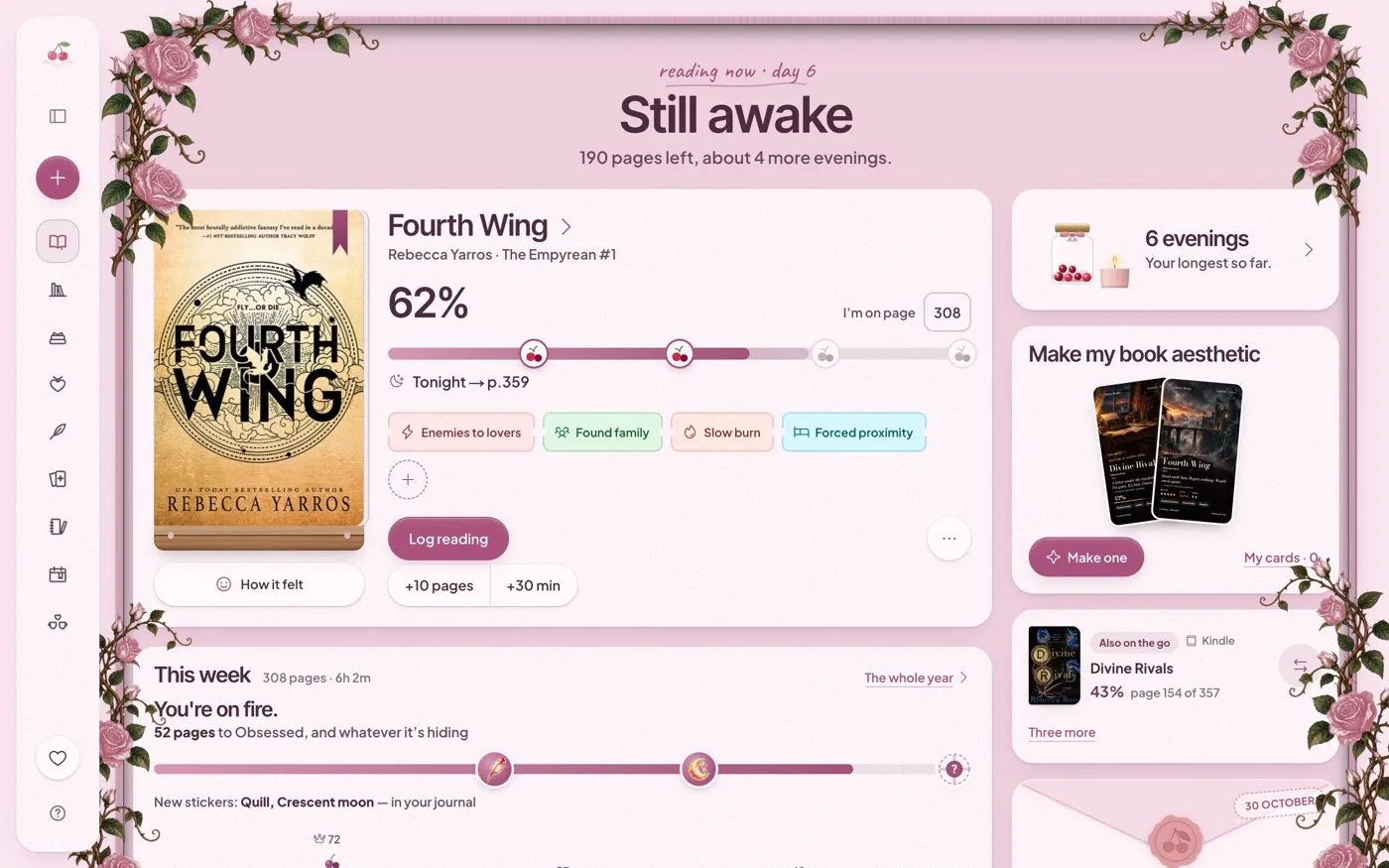
A reading tracker answers what happened: books started, finished, paused, or added to your list. A reading journal captures what it meant to you.
Keeping both in the same workflow is convenient, but don't force every book into a long review. Some books deserve a paragraph; others deserve a single emoji and a star rating.
4. Save quotes with context
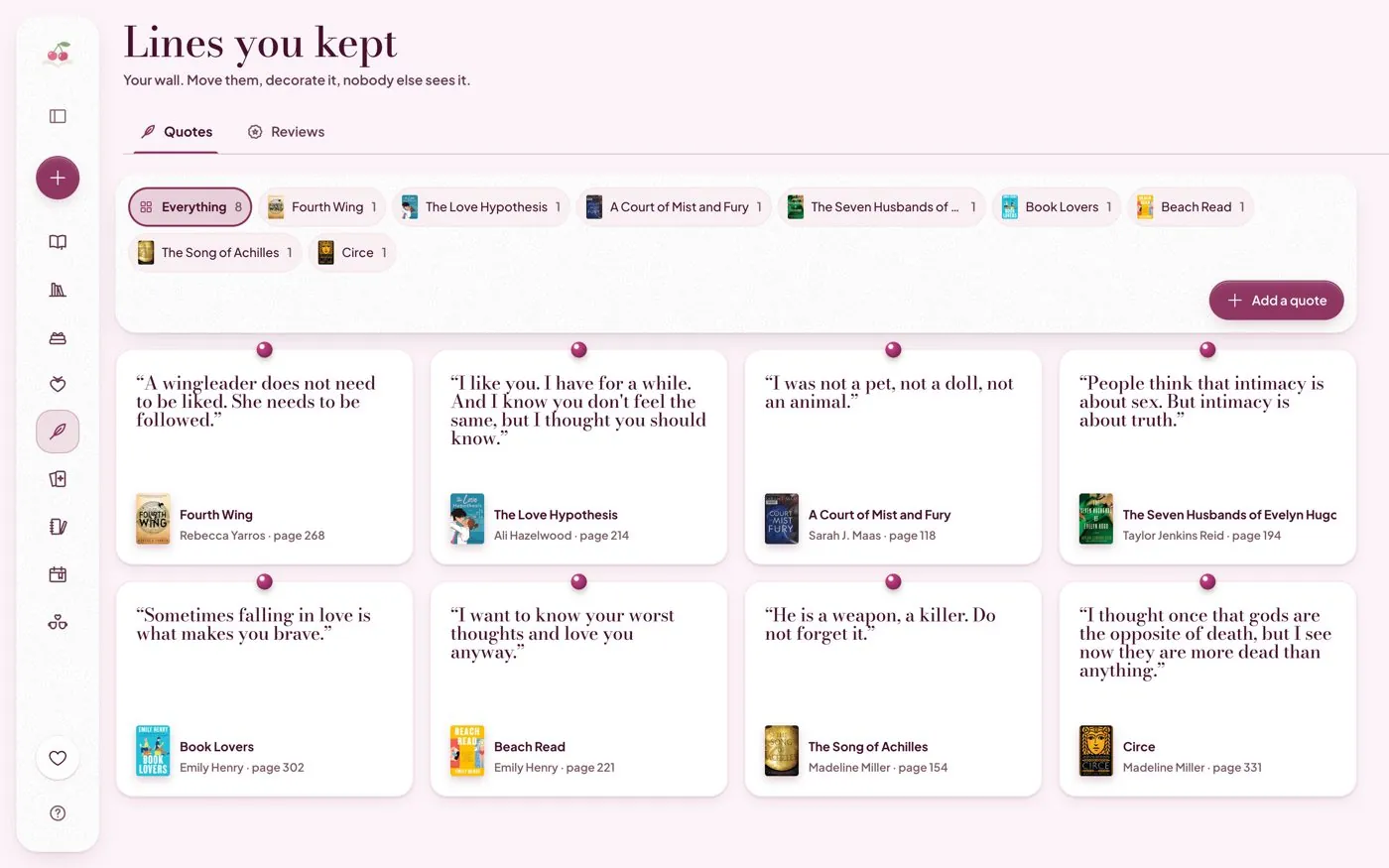
A quote alone can become mysterious six months later. Add a small note explaining why you saved it:
If you note the page or chapter, it becomes easier to find the passage again. Keep quotes private when they may reveal spoilers to friends.
5. Make your journal yours
Your journal doesn't have to look like a spreadsheet. You might organize entries around:
- Mood: books that healed, haunted, or surprised you.
- Tropes: found family, rivals to lovers, slow burn, second chances.
- Seasons: winter comfort reads, summer adventures.
- Memories: books you read on a trip or during a big life change.
The structure should feel like your reading life, not a database someone assigned to you.
6. Build a five-minute ritual
A realistic habit beats an ambitious one. After a reading session, write one sentence. At the end of the week, add a favorite quote. When you finish a book, capture your final reaction while it's fresh.
You can also let yourself skip entries. A reading journal isn't another challenge you can fail; it's a place to return to.
7. Review the year, not just individual books
At the end of a month or year, look for patterns. Which authors surprised you? Which books became favorites? Did you start reaching for a new genre? Did you abandon books you weren't enjoying?
Your notes make these reflections much richer than a number of books read.
A digital reading journal you want to open
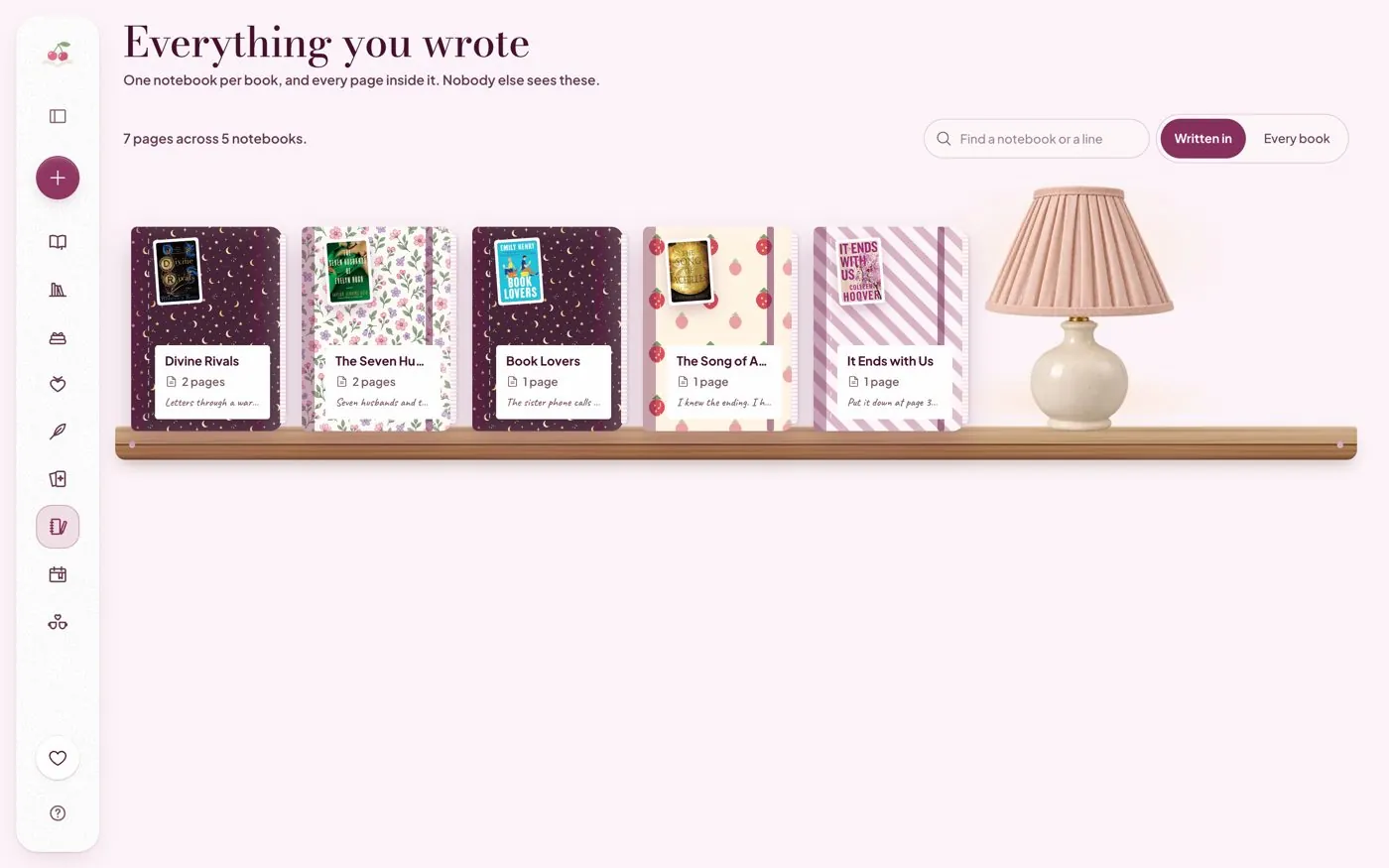
In Cherry Books, each book has its own notebook, and the journal shelf brings those notebooks together. Save lines with their page numbers on the quote wall, and keep your thoughts beside the book they belong to. These are in-app pages; new readers can create an account and choose a plan before opening their own reading space.
Next step: Start with your current book. Write one sentence about how it makes you feel today. That's your first journal entry.
Need a prompt for that first entry? Pick one from 21 reading journal ideas. For dates, lists and progress, use the companion guide to tracking the books you read.
Frequently asked questions
What should I write in a digital reading journal?
Start with title, dates, a short reaction, and one memorable quote or scene. More elaborate ratings and prompts are optional.
Is a reading journal the same as a book tracker?
Not exactly. A tracker records progress and lists; a journal stores your personal thoughts and reading memories.
Do I have to journal every day?
No. A quick note when you finish a reading session or a book is enough to build a meaningful collection.
Try Cherry Books free for 7 days
Keep your notebooks, quotes, TBR and reading progress together. A payment card is required for the 7-day subscription trial. Cancel before the trial ends to avoid a charge; the monthly plan is $4.99 after the trial.
Keep reading
21 Reading Journal Ideas That Make Every Book More Memorable
Looking for reading journal ideas? Try 21 simple, creative prompts for book notes, favorite quotes, tropes, monthly wrap-ups, and more.
How to Track the Books You Read Without Making Reading a Chore
Learn a simple system to track books you've read, your reading progress, TBR list, ratings, quotes, and yearly goals without extra work.
36 Reading Journal Prompts for Romance Readers (and How to Keep One)
Reading journal prompts for before, during and after a romance, plus a simple way to keep a journal on paper or in an app without it feeling like homework.